
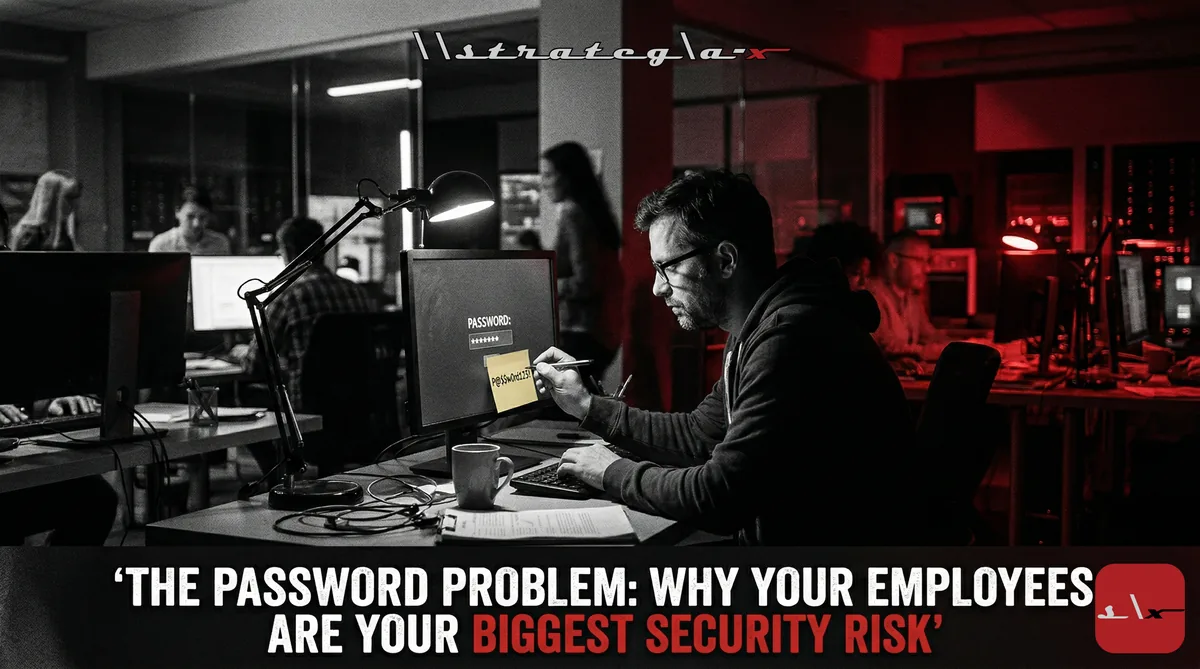
Your Security Stack Has a Human-Shaped Hole in It
You've got a next-gen firewall. You've got endpoint detection and response. You've got email filtering, DNS protection, maybe even a SIEM. Your infrastructure is locked down. Your perimeter is defended. And none of it matters, because someone on your team is using the same password for their company email, their CRM login, their VPN, and their Netflix account.
This isn't a hypothetical. Verizon's Data Breach Investigations Report found that 68% of breaches involved a human element, phishing, stolen credentials, social engineering, or simple misconfiguration. Not zero-day exploits. Not nation-state hackers. People. Your people.
The uncomfortable reality is that most cyberattacks don't bypass your security. They walk through the front door using legitimate credentials that were phished, reused, or guessed. And until you address the human layer of your security stack with the same rigor you apply to the technical layer, you're building a fortress with the gate wide open.
Why Passwords Are Still the Weakest Link
We've known passwords are a problem for decades. And yet, here we are in 2026, still relying on them as the primary authentication mechanism for most business systems. The reasons passwords fail are well-documented and predictable:
1. Password Reuse Is Universal
Studies consistently show that 65% of people reuse passwords across multiple accounts. This means a breach at any third-party service, a retail site, a social media platform, a free SaaS tool your employee signed up for, potentially compromises your corporate systems. Credential stuffing attacks work precisely because people use the same email and password combination everywhere. When one database leaks, attackers try those credentials against thousands of other services. It's automated, it's fast, and it's devastatingly effective.
2. Password Complexity Rules Don't Work
Here's a dirty secret: those password policies that require uppercase, lowercase, numbers, and special characters? They don't produce strong passwords. They produce predictable patterns. "Company2026!" meets every complexity requirement and is trivially guessable. "Welcome1!" meets every complexity requirement and appears in every leaked credential database. Humans optimize for memorability, not entropy. And when you force complexity, they compensate with patterns that are complex enough to satisfy the rules but predictable enough to remember.
3. Phishing Has Gotten Very, Very Good
The phishing emails of 2020 were laughable, broken English, obvious spoofing, absurd claims. The phishing campaigns of 2026 are AI-generated, contextually aware, and nearly indistinguishable from legitimate communications. They reference real projects. They impersonate real colleagues. They arrive at plausible times with plausible requests. And they work, because even sophisticated users can't reliably distinguish a well-crafted phishing email from a real one when they're processing 150 messages a day.
The Modern Authentication Playbook
The solution isn't better passwords. It's less reliance on passwords altogether. Here's the framework every SMB should be implementing:
1. Deploy Multi-Factor Authentication Everywhere
MFA is the single most effective security control available today. Microsoft reports that MFA blocks 99.9% of automated account compromise attacks. Not 50%. Not 80%. Ninety-nine point nine percent. If you implement one security improvement this quarter, this is it.
And not SMS-based MFA. SIM-swapping attacks have made SMS codes unreliable. Use authenticator apps (Microsoft Authenticator, Google Authenticator) or, better yet, hardware security keys (YubiKey, Google Titan). The cost per employee is $25-50 for a hardware key. The cost of a single breach is measured in hundreds of thousands.
2. Implement a Password Manager Company-Wide
The reason employees reuse passwords is that they can't remember unique, complex passwords for 50+ accounts. Password managers solve this completely. Every account gets a unique, randomly generated password. Employees remember one master password. The manager handles everything else.
Business-tier password managers (1Password Business, Bitwarden Teams, Dashlane Business) cost $4-8 per user per month and include admin controls, shared vaults for team credentials, breach monitoring, and compliance reporting. At that price point, there's no excuse not to deploy one.
3. Move Toward Passwordless Authentication
The future of authentication isn't better passwords, it's no passwords. Passkeys, biometric authentication, and certificate-based login are rapidly maturing and already supported by major platforms. Microsoft, Google, and Apple all support passkey authentication. Many enterprise SaaS platforms now offer passwordless options.
You don't need to go passwordless overnight. But every new system deployment should evaluate passwordless options first. Every existing system that supports passkeys should have them enabled. The goal is to progressively reduce the number of passwords your organization depends on until they're the exception, not the rule.
4. Implement Single Sign-On (SSO)
SSO reduces the number of authentication events, and therefore the number of opportunities for credential theft, by allowing employees to authenticate once and access multiple applications. Combined with MFA on the SSO provider, this creates a single, well-defended authentication point instead of dozens of individual login pages.
Modern SSO solutions (Okta, Microsoft Entra ID, Google Workspace) also give you centralized visibility into who's accessing what, when, and from where. That visibility is invaluable for both security monitoring and compliance.
5. Run Realistic Phishing Simulations
Annual security awareness training doesn't work. A 45-minute video about phishing that employees click through while checking their phones isn't training, it's a compliance checkbox. What actually changes behavior is regular, realistic phishing simulations that test employees in context, followed by immediate, specific coaching for anyone who clicks.
The best programs run simulations monthly, track click rates by department, and provide brief (2-minute) coaching immediately after a failed test. Over time, organizational click rates drop from 20-30% to under 5%. That's a measurable, significant reduction in your most exploited attack surface.
The Metrics That Matter
If you're implementing these controls, measure the results:
- MFA adoption rate: What percentage of accounts have MFA enabled? Target: 100% for all employees, no exceptions.
- Password manager adoption: What percentage of employees actively use the company password manager? Track monthly active users, not just license counts.
- Phishing simulation click rate: Track this monthly. Benchmark against industry averages. Celebrate improvement. Coach repeat offenders individually.
- Account compromise incidents: How many credential-based security incidents occurred this quarter vs. last? This is the ultimate outcome metric.
The Bottom Line
Your employees aren't stupid. They're human. They're managing dozens of accounts, processing hundreds of emails, and optimizing for productivity, not security. That's rational behavior in an irrational system.
The fix isn't lecturing them about password hygiene. It's building systems that make secure behavior the path of least resistance. MFA that's seamless. Password managers that auto-fill. SSO that reduces login friction. Passwordless options that eliminate the problem entirely.
Stop blaming humans for being human. Start building security systems designed for humans. When security is easier than insecurity, the password problem solves itself.
-Rocky
#Cybersecurity #Passwords #Mfa #Phishing #Zerotrust #Smb #Itsecurity #Identitymanagement #Sso #Passwordless #EngineeringDreams #StrategiaX