The Anime Coloring Problem
Every anime and manga artist knows the workflow: sketch your linework, lay down flat colors, add shadows, build up highlights, refine. It's a specific, structured process, completely different from watercolor painting, photo retouching, or graphic design. And yet every mobile drawing app treats it exactly the same way.
Generic color pickers with no understanding of anime palettes. Fill tools that bleed through your linework because the tolerance was designed for photo editing. No cel shader brush. No clipping masks for non-destructive shadow layers. Blend modes buried six menu levels deep. Color palettes optimized for realism when you need the saturated, deliberate palette of shoujo or the neon intensity of cyberpunk.
You end up spending more time working around your tools than working with them, manually filling one pixel gap at a time, creating selection masks as a workaround for missing clipping support, sampling colors from reference images because the app doesn't include a single anime-appropriate palette.
We built SumiSplash because anime artists deserve tools designed for how they actually work.
What SumiSplash Is
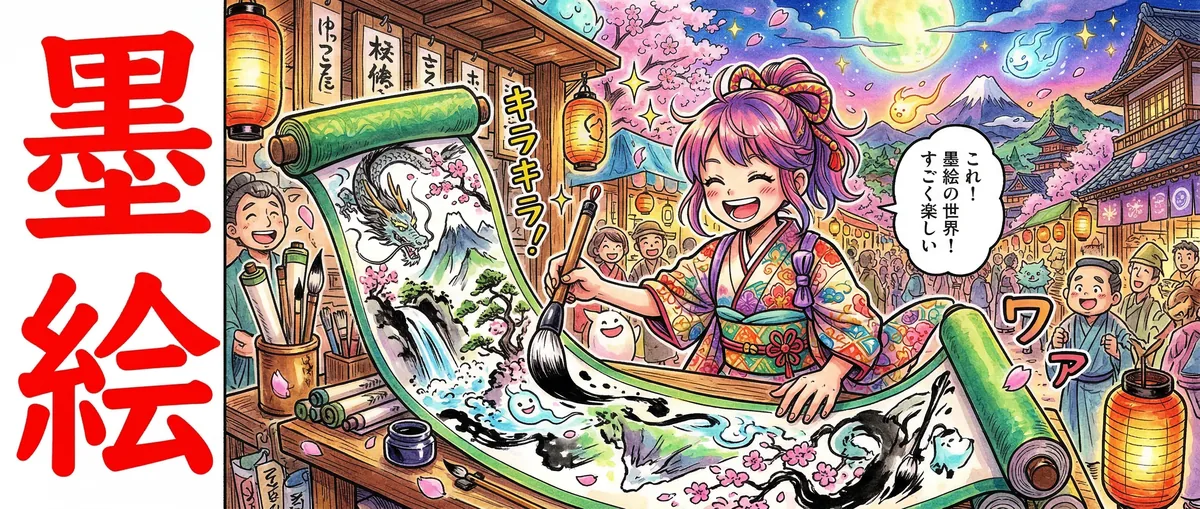
SumiSplash is a professional anime illustration and coloring app for Android, engineered from the ground up for the character art, fan art, and illustration workflows that define the anime community. The name comes from 墨 (sumi), Japanese ink, and the splash of color that brings ink drawings to life.
Where most drawing apps are jacks-of-all-trades that master none, SumiSplash is a specialist. Every brush, every tool, every palette, every workflow decision was made with one question: does this help anime artists create better character art, faster?
12 Brushes Engineered for Anime Illustration
SumiSplash ships with 12 brushes, 7 free, 5 premium, each designed for a specific role in the anime illustration workflow.
The core toolkit (free):
- Ink Pen, Pressure-sensitive linework with natural taper. Your primary tool for clean, confident character outlines that define anime's signature style.
- Cel Shader, Flat, uniform color application with crisp edges. This is the brush that makes anime look like anime, hard-edged shadows, clean color blocks, the cel animation aesthetic translated to digital.
- Airbrush, Soft gradient blending for skin tones, atmospheric effects, and the subtle color transitions that add depth to flat-shaded characters.
- Watercolor, Blendable, flowing strokes for background washes and soft illustration styles.
- Screentone, Authentic manga halftone patterns for monochrome shading and texture, painted directly onto the canvas in real time.
- Marker, Bold, flat strokes with natural edge bleed that replicate the Copic marker coloring technique beloved by anime artists worldwide. Free in SumiSplash because Copic-style coloring should be accessible to everyone.
- Eraser, Pressure-sensitive erasing matched to your workflow.
Pro brushes (subscription or rewarded unlock):
- Sparkle, Particle effects for magical girl transformations, shoujo sparkle, and luminous accents
- Glow, Additive light brush for energy effects, auras, eye glow, and cyberpunk neon
- Splatter, Ink splatter for dynamic action backgrounds and grunge texture
- Chalk, Rough, textured strokes for concept sketching and traditional media feel
- Charcoal, Deep, dramatic tonal work with natural smudge character
All brushes feature full pressure sensitivity (0.1x-1.0x size and opacity), configurable stabilization for smooth strokes, and S-Pen/stylus support with tilt sensitivity and palm rejection.
The Anime Coloring Workflow: Built In, Not Bolted On
The standard anime coloring workflow goes like this: linework → flat color base → shadow layer (clipped to base) → highlight layer (clipped to shadow or base) → effects. It's specific, layered, and depends on tools that most apps don't prioritize.
SumiSplash was designed around this exact workflow:
Fill Tool with Adjustable Tolerance
SumiSplash's BFS flood fill algorithm includes adjustable tolerance (0-255), which means you can control exactly how far the fill bleeds. Set it low for pixel-perfect fills within clean linework. Increase it to flood through anti-aliased edges without leaving white halos, the single most common complaint anime colorists have about mobile fill tools.
Clipping Masks
Clip a shadow layer to your flat color layer, and your brush strokes are automatically confined to the painted area below. No selection masks. No careful painting up to edges. Just clip, shade, and the color stays where it belongs. This is the core technique for efficient anime character coloring, and it's a first-class feature in SumiSplash, not a workaround.
7 Blend Modes
Normal, Multiply, Screen, Overlay, Darken, Lighten, and Add. Multiply for shadows. Screen for highlights. Add for glow effects. Overlay for ambient color shifts. Each mode is accessible per layer, letting you build the kind of complex, luminous coloring that defines professional anime illustration.
5 Anime-Themed Color Palettes
Color in anime isn't arbitrary. Different genres have distinct color languages, saturated and warm for action, soft and pastel for romance, neon and high-contrast for sci-fi. SumiSplash ships with 5 curated palettes designed for immediate creative use:
- Shonen, Fiery oranges, bold reds, deep navy. The kinetic energy of battle manga and hero narratives.
- Shoujo, Rose pink, soft lavender, fresh mint. The romantic warmth of relationship-driven stories and character-focused illustration.
- Cyberpunk, Neon cyan, electric magenta, matrix green. The high-voltage palette of sci-fi and dystopian futures.
- Pastel K-pop, Soft purple, baby blue, warm cream. The aesthetic of modern idol illustration, lightstick art, and fan content.
- Seinen, Dark slate, muted teal, burnt orange. The mature, grounded palette of adult-oriented manga and illustration.
Beyond the curated palettes, you have a full HSV color wheel, hex code input, and a 10-color recent history that automatically tracks your most-used colors as you work.
Multi-Layer Canvas: Professional Compositing on Mobile
Character illustration demands layers. SumiSplash provides 5 layers on the free tier and 10 with Pro, each with independent visibility, opacity slider, drag-to-reorder, and the full suite of blend modes and clipping mask support.
A typical character coloring setup might look like:
- Layer 1, Sketch (reduced opacity)
- Layer 2, Clean linework
- Layer 3, Flat colors (base)
- Layer 4, Shadows (Multiply, clipped to base)
- Layer 5, Highlights and effects (Screen/Add, clipped)
Five layers with clipping and blend modes is enough for polished character art. Ten layers with Pro gives you room for complex multi-character compositions, background separation, and effects stacking.
High-Performance Custom Drawing Engine
SumiSplash doesn't use Compose Canvas or any abstraction layer for drawing. The core drawing engine is a custom Android View with direct bitmap manipulation, hardware-accelerated rendering, and a multi-touch state machine that cleanly separates drawing gestures from navigation gestures.
Why does this matter? Because drawing apps live and die by input latency. When your stylus moves, the stroke needs to appear immediately, any perceptible delay destroys the feeling of drawing on paper. SumiSplash's custom engine provides the lowest possible latency path from touch input to rendered pixel.
Layer compositing happens in a dedicated frame buffer with per-layer opacity and blend mode calculations. Undo/redo stores 15 steps using JPEG-compressed snapshots to minimize memory usage without limiting creative freedom.
Professional Canvas Presets
Start every illustration on the right canvas:
- Portrait (1080×1920), Character art and social media illustrations
- Square (1080×1080), Instagram, profile pictures, and icon art
- Landscape (1920×1080), Scene illustrations and desktop wallpapers
- Webtoon (800×2400), Vertical scroll comic panels
- Manga Page (846×1200), Standard manga dimensions
- 4-Koma (600×2000), Four-panel comic strip format
- Storyboard HD (1600×900), Animation storyboarding
- Character Sheet (1600×1600), Multi-view character reference
- Poster Portrait (1440×2560), High-resolution poster art
- Print A4 (1240×1754), Print-ready at 150 DPI
Creative Tools Beyond the Brush
SumiSplash includes a complete toolkit for character illustration:
- Eyedropper, Sample any color from your canvas with haptic feedback confirmation. Essential for maintaining color consistency across a complex illustration.
- Text Tool, 6 font styles including Manga Bold, Manga Italic, and Handwritten with outline configuration and vertical layout support for Japanese-style text.
- Selection Tools, Rectangular and lasso selection with move, scale, rotate, copy, cut, and delete for repositioning elements.
- Liquify Tool, 20×20 mesh-based warping for proportion tweaks and expressive distortion.
- 14 Vector Stickers, Speech bubbles, effects, expressions, and shapes rendered as vectors for resolution-independent placement.
- Perspective Grids, 1/2/3-point perspective overlays for environmental context and architectural elements in character scenes.
- Symmetry Modes, Horizontal, Vertical, and Quad mirroring for symmetrical character poses, mecha design, and pattern work.
- Reference Image Overlay, Import reference images with opacity control and lock positioning for study and color matching.
Timelapse Recording: Your Process Is Content
Anime speedpaint videos are among the most-watched content on YouTube and TikTok. SumiSplash records your entire drawing session and exports it as an MP4 video (H.264, 4 Mbps) at adjustable playback speeds from 2x to 8x.
No third-party screen recorder. No post-production. Draw your character, export the timelapse, and share your process with the community, directly from the same app.
Daily Challenges and Template System
SumiSplash includes daily drawing challenges with streak tracking to encourage consistent practice, the single most effective way to improve as an artist. Challenges rotate through character, environment, creature, and style prompts at varying difficulty levels.
The template system provides pre-configured manga and anime layouts organized into unlockable packs, with a custom grid creator for building your own panel configurations.
Touch-Native Gesture Controls
SumiSplash was designed for mobile from day one:
- Pinch, Zoom (1x-8x)
- Two-finger drag, Pan the canvas
- Two-finger twist, Rotate the canvas
- Two-finger tap, Undo
- Three-finger tap, Redo
- Long press (750ms), QuickShape detection (circles, rectangles, lines)
Canvas flip (horizontal and vertical) lets you instantly check proportions, the oldest trick in the artist's book, built directly into the gesture system.
Export and Share
Your illustrations export your way:
- Gallery Export, Full-resolution PNG to your device
- Direct Share, Share to any app (Twitter/X, Instagram, Discord, LINE, etc.)
- Project Backup, .sumi archive with all layers, metadata, and thumbnail
- Timelapse Video, MP4 speedpaint export
Technical Foundation
SumiSplash is built with Kotlin 2.0 and Jetpack Compose on Material Design 3, with a custom View-based drawing engine for maximum performance. Architecture follows MVVM with Hilt dependency injection, Room database for projects and layers, and DataStore for async preferences. Supports Android 8.0+ (API 26) through Android 15 (API 35).
Fair Monetization
SumiSplash is free with 7 brushes (including Cel Shader and Marker), 5 layers, starter templates, and all core features. Pro subscription ($2.99/month or $24.99/year) unlocks all 12 brushes, 10 layers, all template packs, and removes ads. Individual items can also be unlocked via rewarded ads, watch an ad, unlock a brush. No paywall should stand between an artist and their tools.
Who SumiSplash Is For
- Anime character artists, You draw characters. SumiSplash's coloring workflow, Cel Shader, Fill Tool, Clipping Masks, Blend Modes, was built for exactly this.
- Fan artists, Quick character illustrations for social media. Portrait and Square presets, direct sharing, and timelapse export for engagement.
- K-pop fan artists, Pastel palettes, sparkle effects, and social-ready canvas sizes for idol illustration and lightstick art.
- Digital colorists, You take linework and bring it to life with color. Clipping masks, blend modes, and the Marker brush give you a professional mobile coloring studio.
- Students learning anime coloring, The structured layer workflow and curated palettes teach professional techniques from day one.
- Artists on the go, A professional illustration tool in your pocket with stylus support, pressure sensitivity, and gesture navigation that makes mobile drawing feel natural.
The Bottom Line
Anime illustration has a specific workflow. Linework. Flat colors. Clipping masks. Shadow layers on Multiply. Highlights on Screen. Effects on Add. Every professional anime artist in the world uses some version of this process, and until now, no mobile app was designed around it.
SumiSplash is. Every brush, every tool, every palette, every workflow feature exists because anime artists need it. The Cel Shader isn't a novelty brush, it's a primary coloring tool. The Fill Tool isn't an afterthought, it's an optimized BFS algorithm with tolerance control designed for the gaps in hand-drawn linework. Clipping masks aren't buried in a submenu, they're a one-tap toggle on every layer.
Twelve brushes. Five anime palettes. Seven blend modes. Clipping masks. Professional fill tool. Timelapse recording. All on your phone.
Splash some color. Bring your characters to life.
Learn more: strategia-x.com/projects
-Rocky
#Sumisplash #Animeart #Animecoloring #Digitalart #Characterart #Fanart #Celshading #Clippingmask #Drawingapp #Animeillustration #Kpopfanart #Manga #Android #Creativetools #Speedpaint #Buildinpublic #EngineeringDreams #StrategiaX