
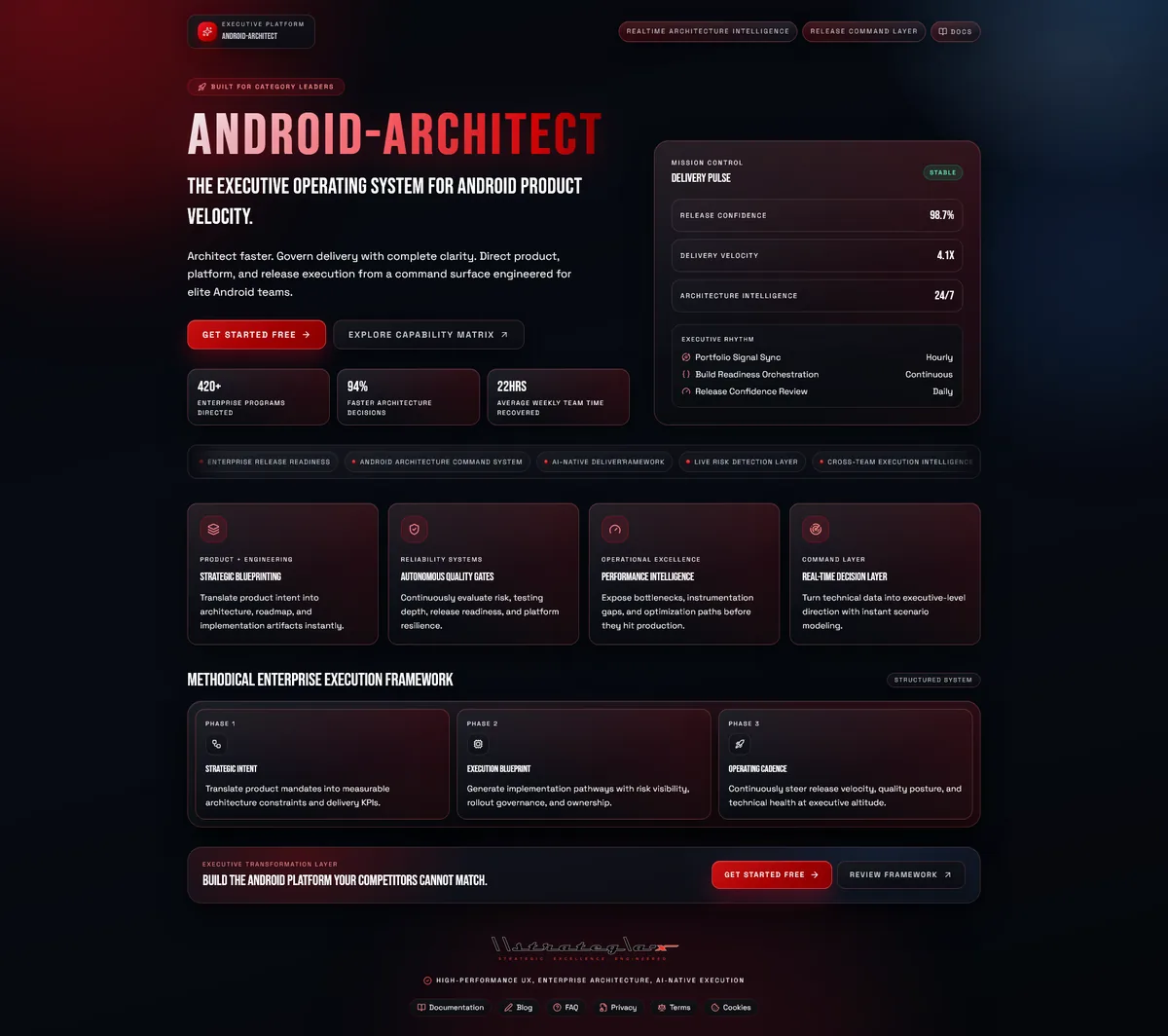
The Android Development Problem Nobody Talks About
Building an Android app in 2026 isn't hard because of Kotlin. It isn't hard because of Jetpack Compose, or Room, or Hilt, or any individual technology. Those are well-documented, well-supported, and genuinely excellent.
Building an Android app is hard because of everything that happens before you write your first line of code.
Architecture decisions. Should this be MVVM or MVI? Clean Architecture or pragmatic layering? Single-module or multi-module? Hilt or Koin? Retrofit or Ktor? Room or SQLDelight? Navigation Component or Voyager? Every project starts with dozens of decisions that have cascading consequences, and most developers make them based on whatever they used last time, or whatever the top Medium article recommends this month.
Then there's the scaffolding. You've made your decisions, now you need to actually set up the project. Gradle configuration. Dependency versions. Build variants. ProGuard rules. CI/CD pipelines. Testing infrastructure. Design system tokens. Navigation graphs. Module boundaries. By the time you've wired up the foundation, you've spent days, sometimes weeks, on boilerplate that contributes zero features to your app.
And after all that, you still need to handle security audits, accessibility compliance, performance profiling, crash analytics, release management, and Play Store optimization. Each one requires its own tooling, its own expertise, and its own time investment.
What if all of that could happen in minutes instead of weeks?
Today, I'm introducing Android Architect, the AI-powered operating system for Android development. It doesn't just help you code. It helps you think, design, build, test, secure, and ship, from product idea to production release.
Try it now: www.android-x.com
What Android Architect Actually Is
Android Architect is not a code snippet generator. It's not a chatbot with Android knowledge bolted on. It's a comprehensive development platform that combines conversational AI, visual architecture design, automated code generation, and 100+ professional tools into a unified workspace, purpose-built for Android development.
Here's what's inside:
AI Consultant: Expert Android Guidance On Demand
The AI Consultant is a conversational interface powered by Google Gemini, trained to think like a senior Android engineer. It doesn't give generic answers, it gives contextual, architecture-aware guidance specific to modern Android development.
Ask it anything:
- Architecture decisions, "Should I use MVI or MVVM for an app with complex real-time data flows?"
- Implementation questions, "How do I implement offline-first sync with Room and WorkManager?"
- Debugging help, "My LazyColumn recomposes on every scroll, what's causing it and how do I fix it?"
- Best practices, "What's the correct way to handle deep links with Jetpack Navigation in a multi-module project?"
- Code review, "Review this ViewModel for memory leaks and lifecycle issues"
Responses stream in real time with full syntax highlighting and copy-to-clipboard on every code block. The AI maintains conversation context, so you can iterate on solutions across multiple messages without repeating yourself.
Need a quick answer without leaving your current view? The Live Consultant overlay slides in from the side, ask your question, get your answer, and keep working. No context switching.
Blueprint Builder: From Description to Architecture in 60 Seconds
This is the core of Android Architect, and it's the feature that changes how you start every project.
Describe your app in plain language. Not pseudocode. Not UML. Just tell it what you want to build:
"A fitness tracking app with workout logging, exercise library with video demonstrations, progress charts, social challenges between friends, and Apple Health / Google Fit integration."
Click Generate Blueprint. In under 60 seconds, Android Architect produces:
- Complete feature breakdown, Every feature decomposed with priorities, acceptance criteria, and implementation notes
- Architecture diagram, Interactive Mermaid.js diagram showing component relationships, data flow, and layer boundaries
- Tech stack recommendations, Opinionated selections for architecture pattern, DI framework, networking, persistence, and UI toolkit, with reasoning for each choice
- Design system, AI-generated color palette, typography scale, spacing tokens, and component style recommendations following Material Design 3
- Compliance analysis, Legal and ethical review covering data privacy, accessibility requirements, and Play Store guidelines
- Project management board, Auto-generated Kanban board with tasks, milestones, and sprint suggestions
The blueprint isn't a sketch. It's a comprehensive, structured specification that you can review, refine, and then use to generate actual code.
Code Generation: Production-Ready Kotlin, Not Toy Snippets
From any blueprint, Android Architect generates real, buildable Kotlin code following modern Android best practices. This isn't template string interpolation, the AI understands your specific architecture and generates code that fits together as a cohesive project.
What gets generated:
- Project scaffolding, Complete Gradle build files with version catalogs, build variants, signing configurations, and dependency management
- Jetpack Compose UI, Screens, reusable components, navigation graphs, and theme setup with Material 3
- Data layer, Room entities, DAOs, migration scripts, Retrofit service interfaces, repository implementations, and data mappers
- ViewModels, StateFlow-based ViewModels with proper lifecycle handling, error states, and loading states
- Dependency injection, Hilt modules, component scoping, and provider definitions
- CI/CD configuration, GitHub Actions, Bitrise, or GitLab CI YAML with build, test, lint, and deploy stages
- Test suites, JUnit 5 unit tests, Compose UI tests, and integration tests with MockK
Every generated file includes syntax highlighting and a copy button. And when you're ready to move to your IDE, the GitHub Export tool pushes the entire project directly to a new or existing repository, with CI/CD auto-configured.
100+ Professional Tools: Everything You Need, Nothing You Don't
The sidebar contains over 100 specialized tools organized into 14 categories. Each one is purpose-built for a specific aspect of Android development. Here's a sample of what's available:
Security & Quality
- Security Scanner, OWASP Top 10 vulnerability analysis, data protection validation, network security checks, and ProGuard/R8 configuration
- Accessibility Analyzer, WCAG compliance auditing, screen reader compatibility, touch target analysis, and contrast ratio verification
- Test Coverage Analyzer, Identify coverage gaps, prioritize critical untested paths, and get AI-powered suggestions for missing tests
- Memory Leak Detector, Analyze code for static context references, unregistered listeners, and leaked coroutines
- ANR Analyzer, Detect main thread blocking, heavy computation, and slow I/O operations that cause Application Not Responding errors
- Crash Analytics Dashboard, Analyze crash patterns, stack traces, and device-specific issues
Developer Experience
- AI Code Completion, Context-aware code suggestions powered by Gemini
- ADB Command Center, Execute ADB commands, manage connected devices, and automate common workflows
- Gradle Build Analyzer, Analyze build times, dependency trees, and optimization suggestions
- Code Snippet Library, Save and organize reusable code patterns with syntax highlighting
- Performance Profiler, Profile startup time, frame rendering, memory usage, and network calls
- Database Migration Tool, Generate and validate Room schema migrations with rollback safety
Design & UI
- Visual UI Builder, Drag-and-drop Jetpack Compose screen designer with 30+ Material 3 components. Build layouts visually, export production Compose code.
- Theming Studio, Design Material 3 themes with dynamic color, dark/light variants, and live preview
- Animation Studio, Create Compose animations visually: transitions, shared elements, gesture-based animations, and Lottie integration
- Color Palette Generator, Generate cohesive palettes with accessibility contrast checks
- Icon Library, Browse Material Design icons and export as XML vector drawables
- Typography System, Design type scales with font pairing suggestions
Release & Deployment
- CI/CD Pipeline Generator, GitHub Actions, Bitrise, and GitLab CI configurations with build, test, and deploy stages
- Version Manager, Semantic versioning automation with build number management
- Release Notes Generator, Auto-generate changelogs from commit history
- Staged Rollout Planner, Plan percentage-based rollouts with crash rate monitoring
- Play Store Optimizer, ASO tools for store listing optimization
- Beta Distribution, Configure Firebase App Distribution and Play Store beta tracks
Backend Integration
- Firebase Setup Wizard, Step-by-step configuration for Auth, Firestore, Cloud Functions, FCM, Analytics, and Crashlytics
- Supabase Helper, Database schema, Row Level Security, real-time subscriptions, and storage setup
- REST API Client Generator, Generate type-safe Retrofit clients from API specifications
- WebSocket Manager, OkHttp WebSocket configuration with reconnection logic
- Push Notification Designer, FCM setup and notification channel configuration
Device Lab
- Device Compatibility Matrix, Test compatibility across 100+ device profiles
- Screen Size Previewer, Preview layouts at different DPI, resolution, and orientation combinations
- Wear OS Tools, Design and preview Wear OS companion apps
- Android Auto Builder, Create Android Auto-compatible interfaces
- Foldable Layout Designer, Adaptive layouts for foldable devices
Every tool is lazy-loaded for performance, they only download when you first open them. The entire toolset doesn't slow down your initial page load by a single kilobyte.
The Command Palette: 100+ Tools, One Keystroke Away
With 100+ tools, finding the right one could be overwhelming. It isn't, because of the Command Palette.
Press Ctrl+K anywhere in the app. A search overlay appears. Start typing: "security", "CI/CD", "theme", "test", "firebase", and the matching tools appear instantly. Arrow keys to navigate, Enter to open. The Command Palette also shows your recently used tools, so your most-accessed panels are always one keystroke away.
It's the same pattern used by VS Code, Figma, and Linear, because it works. No hunting through menus. No memorizing sidebar locations. Just type what you need.
Interactive Tutorials & Comprehensive Users Guide
Android Architect includes a Tutorial Center with interactive, step-by-step guided walkthroughs that highlight UI elements, explain features, and walk you through real workflows. Each tutorial tracks your progress and estimated completion time.
For reference, the Users Guide provides comprehensive documentation across 12 sections, from getting started and interface navigation to detailed coverage of every tool category, keyboard shortcuts, account management, and troubleshooting. It includes a searchable table of contents, collapsible sections, and inline tips and warnings.
Between the tutorials and the guide, no feature goes unexplained. Whether you prefer learning by doing or learning by reading, both paths are covered.
Built for Real Teams, Not Just Solo Developers
Android Architect is designed to scale from individual developers to engineering teams:
- Free tier, AI Chat, basic blueprint generation, Tutorials, Users Guide, and limited AI credits. Enough to evaluate the platform and build small projects.
- Pro tier, All 100+ tools unlocked. Full code generation, CI/CD, security scanning, performance profiling, release management, and increased AI credits. For professional developers building production apps.
- Team tier, Everything in Pro plus team collaboration, shared workspaces, shared templates, and priority support. For engineering teams that want a unified workflow.
You can also bring your own Gemini API key for unlimited AI generations without consuming credits, useful for heavy users or teams with existing Google Cloud accounts.
The Technical Foundation
Android Architect is built with React, TypeScript, and Vite, a modern, fast frontend stack. The AI layer uses Google Gemini via a Cloudflare proxy for structured JSON responses with type-safe parsing. Authentication and user data run on Supabase with OAuth support for Google and GitHub. Architecture diagrams render with Mermaid.js. Code highlighting uses PrismJS.
The app is fully lazy-loaded: 70+ panel components are code-split into individual chunks that download on demand. The main bundle is under 170 KB gzipped. First paint is fast. Subsequent tool loads are near-instant from cache.
It runs entirely in the browser, no installation, no desktop app, no Electron wrapper. Open android-x.com, sign in, and start building.
Who This Is For
- Solo Android developers, You're building apps on your own and need to move fast. Android Architect eliminates the scaffolding and boilerplate that eats your first week on every project. Describe your app, generate the architecture, refine the blueprint, export the code, and start building features from day one.
- Startup engineering teams, You're shipping fast with a small team and can't afford to spend sprints on architecture debates and infrastructure setup. Generate a production-grade foundation in minutes, align the team on architecture decisions with visual diagrams, and use the built-in project management board to track execution.
- Junior developers learning Android, You're learning Kotlin and Compose and want to see how production apps are structured. Generate blueprints, study the architecture diagrams, read the generated code, and ask the AI Consultant to explain anything you don't understand. It's like having a senior engineer available 24/7.
- Freelance mobile developers, You're juggling multiple client projects and need to deliver professional architectures quickly. Generate blueprints for client proposals, produce architecture documentation automatically, and scaffold projects in minutes instead of days.
- Engineering managers and tech leads, You're evaluating architecture approaches for new projects. Use the Blueprint Builder to rapidly prototype different architecture patterns, compare trade-offs, and make informed decisions backed by AI-generated analysis rather than gut feel.
Why We Built This
At Strategia-X, we build tools that eliminate the gap between having an idea and having a working product. We've watched talented developers spend weeks on project setup that could be automated. We've seen architecture decisions made by copy-pasting from Stack Overflow because there wasn't time to properly evaluate alternatives. We've watched teams ship insecure, inaccessible, poorly-tested apps, not because they didn't care, but because the tooling to catch those issues was scattered across a dozen different services, each with its own learning curve and subscription fee.
Android Architect consolidates all of it into one platform. Architecture design, code generation, security analysis, accessibility auditing, performance profiling, testing, CI/CD, release management, and deployment, unified, AI-powered, and purpose-built for Android.
It doesn't replace your IDE. It replaces everything you do before you open your IDE, and continues helping after you've committed your code.
The Bottom Line
The Android ecosystem has world-class libraries, world-class tooling in Android Studio, and a world-class language in Kotlin. What it hasn't had is a platform-level intelligence layer that ties all of it together, that can take a product idea, produce an architecture, generate the code, scan for vulnerabilities, check accessibility, configure CI/CD, and manage the release pipeline, all from a single workspace.
Android Architect is that layer. AI-powered architecture design. Production-ready code generation. 100+ professional tools. Interactive tutorials and comprehensive documentation. From idea to architecture to code to production, in a single platform.
Stop scaffolding. Start shipping.
Start building: www.android-x.com
-Rocky
#AndroidArchitect #AndroidDev #JetpackCompose #Kotlin #AI #CodeGeneration #AppArchitecture #MobileDevelopment #DevTools #CICD #MaterialDesign #BuildInPublic #EngineeringDreams #StrategiaX